It seems the only time I come here to post anything is when I am procrastinating on something else. For example, right now I should be working on my slide deck for my talk coming up next Saturday. If you are interested in watching me hopefully not suck too bad, come to BSidesCT 2016 at Quinnipiac University next Saturday July 2016. Some evil person decided to put me right after the Keynote (no pressure). So come see me if you want to learn how to deal with the business moving apps and services into Microsoft Azure from an information security standpoint.
If you want more up-to-date InfoSec write-ups feel free to check out my other blog over at NutmegInfoSec.com. There are some interesting things about malicious JavaScript downloaders and replacing humans with technology. For now it is back to my slide deck.
-Dewser
Sunday, July 10, 2016

Saturday, May 2, 2015
Windows in the IoT space
So this past week the annual Microsoft Build Developer Conference happened in San Francisco. During many of the key note talks, Microsoft announced a bunch of their new platforms and products. Among them was Visual Studio 2015, Windows 10 Insider Preview, and Windows 10 for IoT.
 For my non techie friends and family, IoT = the Internet of Things. So what does that mean? Well as our computing devices get smaller and smaller, we are able to create more things that can connect to the ever growing internet. It isn't just your computer or mobile phone anymore. We have tablets, game consoles, smart TVs and other media devices. We now also have thermostats (Nest), home automation systems, refrigerators, toasters, small robots, cats and dogs living together MASS HYSTERIA!
For the most part this space has been frequented by micro-controller boards like the Arduino, Beaglebone, and the much smarter Raspberry Pi computers. Newer and smaller boards have now entered the market and they have come ready for the internet. Spark.io has been releasing a different board every few months. Their first was a Wi-Fi enabled Spark Core, then came the much smaller Photon (about the size of a postage stamp), and now they have a cellular enabled board called the Electron.
So with all this IoT growth, it is only natural that Microsoft decided to jump in the pool. As a software company, you almost need to be in there if you want to stay relevant. So what's this new Windows 10 IoT all about? Well it is the latest in Microsoft's embedded OS. As of now they are supporting 3 hardware platforms - Raspberry Pi 2, MinnowBoard Max, and Galileo. Galileo has supported previous versions of Windows embedded but does not yet support Windows 10. But Microsoft has instructions on how to get started anyway. I will focus on the Raspberry Pi 2. This latest version of Pi was released a few months ago and is a pretty impressive tiny computer (just don't use high powered camera flashes next to it). With a 900MHz quad-core ARM Cortex-A7 processor and 1GB of RAM, it certainly has some juice to run a scaled down Windows OS.
So what will you need to get going? Well first a Raspberry Pi 2, availability is up and down so grab one when you can. Next you will need something to run Windows 10 Insider Preview (current version is 10074). I ran it in a VM but there are some very annoying bugs in the current version. I have not run it on a physical device yet since I don't have spare laptops lying around. You will also need Visual Studio 2015 to do development on. Follow the instructions on their github page. Flashing the SD card is pretty straight forward. Once the Pi is booted up, you will have a screen with some basic information including the name of the device and it's IP address. You will need to hardwire it with ethernet as it does not appear to have any out-of-box support for your standard wireless controllers. Once you have the device info you can connect via Powershell from your dev box. This can be done from Windows 7 or 8.1 running updated Powershell. There are a few other steps you must complete to finish the setup. Unfortunately the rest of the development requires Visual Studio 2015.
One thing to note about Windows IoT, it comes with remote debugging enabled. So I would recommend not tossing this on the public internet until it is production ready. Visual Studio 2015 does have some IoT management features, hopefully that will allow you to enable/disable remote debugging when required. The geek in me is loving all this, but the security guy wants to start drinking heavily. The world is becoming more and more connected each day. Some of these technologies are improving our lives in various ways. We have more energy efficient homes, doctors can perform maintenance on healthcare devices without surgery, parents can keep track of their children, and brew masters can monitor their brewing processes without spending long hours at the brewery. But with every newly connected device there is a new possible risk for exploitation. Nothing is unhackable. If a vendor tells you this, they are lying. So if it can be turned on or off, it can probably be hacked. But without hacking we would probably not have our most successful breakthroughs in science and technology. Just like the discovery of nuclear power, it is both a great energy resource and extremely destructive force if put in the wrong hands.
So, don't be afraid of the Internet of Things, go out there, make something! Who knows maybe that something will be used in future space explorations or help an amputee walk again!
Tuesday, January 20, 2015
Not a lot of drool lately... but how bout hacking in the mainstream eh???
"You work dark alleys, I work the dark nets..." So that is the tag line that Patricia Arquette's character drops during the latest trailer for the next installment of CSI, CSI: Cyber. It was bound to happen sooner or later. With high profile breaches like Sony Pictures, Target etc etc.. Hollywood is cashing in on the idea of digital terrorists and cyber criminals stealing anything not secured stored in a fireproof, airtight container at the bottom of an ocean. Seriously it is terrible out there. It was hard enough keeping track of the latest vulnerabilities and exploits so we can defend out networks, but now this stuff has hit the main stream. So this is both a good thing and a bad thing.
I'll start with the positives... We, as security pros, now have a way to explain to our non-technical associates and managers about the dangers of the internet. Granted the material in the TV and Movie versions of our daily lives is a bit inaccurate (I'm being nice), it is still being put out there. Sure we can go back to great movies like WarGames and Sneakers, but they are a bit dated (Sneakers is still my favorite). Swordfish was a good flick as far as action goes and well Halle Berry made it even more tolerable, but know one out there is going to hack the NSA in 60 seconds at gun point and... well you saw the movie. Oh wait I was supposed to be positive here. So yeah it gets the concepts in front of the civilians. They now know there is a danger out there in the digital landscape. Information is not as private as we once thought and anyone with motive and ability will do their best to get at it. This will certainly help those of us who struggle with securing budget to improve our current environment. That larger budget will help us bring in additional staff, train our current employees and install that SEIM we've been wanting all these years. Now when the CIO questions your budget you just need to say "Because Blackhat!". OK, you will need to do more than that but it will certainly help sway their opinion on your needs. Also I say "CIO" because there are still big corps out there that have not yet gone the route of having an official CISO to handle InfoSec. Also no reason you Sys Admins can't use the same argument.
OK so the negatives were mixed in with the positives a bit. Something that I think these Hollywood interpretations of hacking may do is set an unrealistic expectation on our current security teams. I mean, companies are going to expect their IR teams to be able to handle themselves in a firefight, or decrypt anything with a power cable attached to it, and maybe even go toe-to-toe with trained assassins while getting root on the Unix server. Sounds exciting huh? Believe me there are days where we wished it was a little more exciting. The reality of it is that our jobs, on the outside, do not look all that awesome to the non-tech folks. I mean if they tried to make a movie about what most of us due but still include action, this would be the result:
Don't get me wrong, in our minds and what we see, we do pretty exciting stuff. But some folks may just think we are nerding out over some code or the latest gadget. Now we can scoff at this latest trend in Hollywood or we can use it as a tool like we use PCI or HIPAA, to get what we want from our senior management.
Well, ranted enough for the day. I'll have more here in the coming weeks I imagine. For now you can also head over to Nutmeg Infosec and keep up with some stories there!
I'll start with the positives... We, as security pros, now have a way to explain to our non-technical associates and managers about the dangers of the internet. Granted the material in the TV and Movie versions of our daily lives is a bit inaccurate (I'm being nice), it is still being put out there. Sure we can go back to great movies like WarGames and Sneakers, but they are a bit dated (Sneakers is still my favorite). Swordfish was a good flick as far as action goes and well Halle Berry made it even more tolerable, but know one out there is going to hack the NSA in 60 seconds at gun point and... well you saw the movie. Oh wait I was supposed to be positive here. So yeah it gets the concepts in front of the civilians. They now know there is a danger out there in the digital landscape. Information is not as private as we once thought and anyone with motive and ability will do their best to get at it. This will certainly help those of us who struggle with securing budget to improve our current environment. That larger budget will help us bring in additional staff, train our current employees and install that SEIM we've been wanting all these years. Now when the CIO questions your budget you just need to say "Because Blackhat!". OK, you will need to do more than that but it will certainly help sway their opinion on your needs. Also I say "CIO" because there are still big corps out there that have not yet gone the route of having an official CISO to handle InfoSec. Also no reason you Sys Admins can't use the same argument.
OK so the negatives were mixed in with the positives a bit. Something that I think these Hollywood interpretations of hacking may do is set an unrealistic expectation on our current security teams. I mean, companies are going to expect their IR teams to be able to handle themselves in a firefight, or decrypt anything with a power cable attached to it, and maybe even go toe-to-toe with trained assassins while getting root on the Unix server. Sounds exciting huh? Believe me there are days where we wished it was a little more exciting. The reality of it is that our jobs, on the outside, do not look all that awesome to the non-tech folks. I mean if they tried to make a movie about what most of us due but still include action, this would be the result:
Well, ranted enough for the day. I'll have more here in the coming weeks I imagine. For now you can also head over to Nutmeg Infosec and keep up with some stories there!
Sunday, November 2, 2014
It's been a busy October but it is over!
So like I said, I have been working on getting some of the security pros in the state out of their corporate offices and into the laid back setting of a meetup. We had one decent meetup so far and I am planning on finishing out the year with at least 2 more. I will also be moving many of my security related posts over to the new meetup site - NutmegInfoSec.com. Along with the main site, we have a meetup group too. So if you are in the CT area and you want to share your experience with others, feel free to check us out. We meet once a month, currently at NESIT Hackerspace in Meriden. We try to have a couple people do short presentations on topics of interest that vary from the typical hackery of pen testing, to defensive strategies as well. You can also follow us on Twitter @NutmegInfoSec.
So that is all for now, I should have something techie up in a couple days, going to do a short write up on the Ubiquity UniFi Access Point and if you head over to NutmegInfoSec, there will be a brief post about building your own Tor router using a Raspberry Pi.
Saturday, September 13, 2014
Good on you Microsoft!
So as I began writing this, I sit and stare at my other computer "preparing" to configure Windows after the latest batch of Microsoft updates have been installed. But I won't let that bother me as it hasn't blue screened...
So in a recent ZDNET article, Microsoft is being held in contempt-of-court for not handing over data, that is stored on servers in Ireland, to US Federal Prosecutors despite a warrant. So those of us who have worked for/with companies that have an international present, in particularly within the EU, know that it isn't a simple matter of saying "oh we own the servers, so we have the final say in what we do with that data..." Fortunately/Unfortunately (depending how you look at it), the EU privacy laws are much stronger than most other countries. So the fortunate part of this is that it puts our wonderful "World Police" mentality into check. People need to play nice around here, so if a foreign government is willing to work with us on something, then cool. If not, guess you need to go a different route in the prosecution.
So if Microsoft said, "Sure buddy! here you go, all the foreign internetz!" Then they risk breaking the law in the foreign country. So damned if you do, damned if you don't. I once had to do some forensic work on a system in another country. That branch of the company needed to have their export folks and the privacy law dogs review the system before allowing me to take a forensic image. Even though we were the parent company, we still had to allow them to approve it. So it is a sticky matter when dealing with these situations. The "Unfortunate" part of all this is if one is doing a forensics investigation on something critical like a targeted attack, well time is everything! Lawyer types are not known for their speedy response on a decision.
So what are your thoughts? I'd be interested in hearing them.
So in a recent ZDNET article, Microsoft is being held in contempt-of-court for not handing over data, that is stored on servers in Ireland, to US Federal Prosecutors despite a warrant. So those of us who have worked for/with companies that have an international present, in particularly within the EU, know that it isn't a simple matter of saying "oh we own the servers, so we have the final say in what we do with that data..." Fortunately/Unfortunately (depending how you look at it), the EU privacy laws are much stronger than most other countries. So the fortunate part of this is that it puts our wonderful "World Police" mentality into check. People need to play nice around here, so if a foreign government is willing to work with us on something, then cool. If not, guess you need to go a different route in the prosecution.
So if Microsoft said, "Sure buddy! here you go, all the foreign internetz!" Then they risk breaking the law in the foreign country. So damned if you do, damned if you don't. I once had to do some forensic work on a system in another country. That branch of the company needed to have their export folks and the privacy law dogs review the system before allowing me to take a forensic image. Even though we were the parent company, we still had to allow them to approve it. So it is a sticky matter when dealing with these situations. The "Unfortunate" part of all this is if one is doing a forensics investigation on something critical like a targeted attack, well time is everything! Lawyer types are not known for their speedy response on a decision.
So what are your thoughts? I'd be interested in hearing them.
Wednesday, September 10, 2014
It's Always the User's Fault...
Throughout our career as Information Technology/Security professionals, we have, at one point or another, blamed a user for the problem. Granted there are some pretty good cases out there where it certainly is their fault; for example, using the CD tray as a coffee cup holder, or spilling soda in the keyboard then denying that they did it, and maybe attempting to fix the problem themselves and only making it worse. Seriously, one time I was working for University and I had to come up and check on a staff member's computer. I look at it and see a bunch of the power cables hanging out of the case. I look at them and ask if they attempted to fix it themselves, and they straight up denied it. So yeah we like to blame them for most, if not all of the problems. In Security we are no better.
The debate is a hot one these past few weeks in lieu of the latest series of breaches, in particular the celebrity photos being leaked. Now our first two comments on the matter are usually "You shouldn't take nude photos of yourself with your phone if you don't want it on the internet..." and "Why are you not using strong passwords!!?!?!?!" To those of us in security, these things are just common sense. For those not in this particular industry, they put trust in us to secure a system so they don't have to worry about such things. This is a pretty logical assumption from someone NOT in the security profession. But we all no better, don't we? Contrary to popular belief, this is something that was not instantly built into our DNA. It took years of experience to make us hardened pessimists of all things tech. We have seen what happens when things don't work right. We have worked for companies who have cut corners on a product just to get it out the door. We all know security is looked upon as a cost center, not a revenue driver. So if it comes down to making a product so simple to use that even the likes of the Kardashians can figure it out, then sometimes security is tossed out.
Can you make things extremely functional without skimping on security? Certainly! Is it easy? Hell no! But then if it was, many of us would not have jobs. So how do we fix this? After all it is a growing problem that doesn't seem to get better despite everything we tweet and post about. I think first, the main stream media just needs to stop... seriously, they are horrible at covering these types of news stories. Rather they need to get more REAL experts to comment and offer sensible recommendations. The larger news outlets are getting better at it by bringing folks in like Dave Kennedy (Trusted Sec) or tapping Dan Kaminski. But the smaller stations are really not there. So if you know folks at your local news organizations, reach out to them and let them know you have the answers! As for the companies who make these products, well the only way we can help is by taking on the difficult position of working for them and making things right. Then again, they have to be willing to compensate such positions appropriately.
Ok, I think that is it. Guess I'll shut up for now. I have some letters to write to my local news outlets!
The debate is a hot one these past few weeks in lieu of the latest series of breaches, in particular the celebrity photos being leaked. Now our first two comments on the matter are usually "You shouldn't take nude photos of yourself with your phone if you don't want it on the internet..." and "Why are you not using strong passwords!!?!?!?!" To those of us in security, these things are just common sense. For those not in this particular industry, they put trust in us to secure a system so they don't have to worry about such things. This is a pretty logical assumption from someone NOT in the security profession. But we all no better, don't we? Contrary to popular belief, this is something that was not instantly built into our DNA. It took years of experience to make us hardened pessimists of all things tech. We have seen what happens when things don't work right. We have worked for companies who have cut corners on a product just to get it out the door. We all know security is looked upon as a cost center, not a revenue driver. So if it comes down to making a product so simple to use that even the likes of the Kardashians can figure it out, then sometimes security is tossed out.
Can you make things extremely functional without skimping on security? Certainly! Is it easy? Hell no! But then if it was, many of us would not have jobs. So how do we fix this? After all it is a growing problem that doesn't seem to get better despite everything we tweet and post about. I think first, the main stream media just needs to stop... seriously, they are horrible at covering these types of news stories. Rather they need to get more REAL experts to comment and offer sensible recommendations. The larger news outlets are getting better at it by bringing folks in like Dave Kennedy (Trusted Sec) or tapping Dan Kaminski. But the smaller stations are really not there. So if you know folks at your local news organizations, reach out to them and let them know you have the answers! As for the companies who make these products, well the only way we can help is by taking on the difficult position of working for them and making things right. Then again, they have to be willing to compensate such positions appropriately.
Ok, I think that is it. Guess I'll shut up for now. I have some letters to write to my local news outlets!
Story of an IT Pro: Volume 2 "The Choice"
If you haven't read Volume 1 "The Beginning", check it out now.
So fast forward from that time where I worked in K-12. I had worked for the school system for a little over 4 years and it was time to move on. For those that have been in IT for a while, you know that the jobs can get stale which can cause you to burn out. I was there and it was time to go. I took a job with a consulting company which offered a nice pay increase as well as possible training opportunities (later I found this to be exaggerated a bit). The job was a love/like/hate relationship. I loved the amount of experience I was getting from all the different environments and systems. I loved that I had people above me that had much more knowledge than I did on a number of related topics. I liked most of the people I worked with. I hated the travel. Now I had an idea that I would be on the road a bit more than a normal 9-5 with a standard commute, but it does drain you and can cause you to make some poor decisions in handling your job. Now that being said, I still would not have traded that experience. I think 5 years doing the same job in IT is a pretty good run. Will I ever take on a job like this again? Certainly not, but I would still recommend that if you are new to the industry, a consulting job will be your best bet to gain a significant amount of experience. Just do your research on the company before hand. That is all I will say on the matter in this post. I may right something in the future on the topic.
Back to the story... So I was getting burned out and InfoSec was just starting to become a hot topic, at least in my world. We had one guy in the company that held a strong interest in the art of penetration testing. Sadly, at this time, there was little call for it. We mainly did vulnerability assessments since no one wanted to pay for the full penetration test and/or risk having their systems down if we succeeded in the test. This field of study fascinated me. So I began doing some heavy research in the topic. I provisioned some systems in my home lab to play with and started using twitter so I can follow some pros. I filled my iPhone with all sorts of security podcasts. I was really into it. After I learned that with good security, one can eliminate a number of the small day-to-day fires that Sys Admins have to deal with, I made a choice to pursue this as a career. So I updated my professional development plan and let my manager know this is what I want to do. And shortly after that, the lead engineer for Security Services gave his notice. Well I still tried to take on more security related tasks but eventually, it was time to look for something new.
Remember that thing about burning out? Due to a couple bad calls on my part, it was decided that the company and I were no longer a good fit. I was able to take a nice semi-paid 3 week vacation before going back to consulting. I took a job with another consulting company to pay the bills. But it was not the job I was looking for. If it wasn't clear, the choice I made was to pursue a career in Information Security. I really didn't know what that meant exactly. I did know what I didn't want to do, and that was to have to troubleshoot printer issues forever. So I was determined to find the job that would support my new goals. I wanted to find things before they became problems. I wanted to prevent the common day-to-day fires caused by improper anti-virus software installs and poorly configured firewalls. During that short stint with that other consulting company, I was presented an opportunity to take on a Security Administrator role in a local not-for-profit insurance company. So I jumped at! You have to do what is good for you. So you find that new job, write your resignation letter, and part ways...
Continued in Volume 3: Career Advice
Monday, September 1, 2014
Story of an IT Pro: Volume 1 "The Beginning"
So this may or may not turn into a series of posts. But just in case, let this be the first of that series. 15 years ago when I got into this business, I didn't really think I quite understood just how many different types of jobs existed out there in IT. I mean, sure, I knew about the help desk and repair jobs (which is where I started). I also new about the System Admins and Network/Tel-co groups. And of course there were the developers. At the time those were the folks I would curse out on a regular basis for their "crappy app that we were forced to use". One more note about my past, I was a late bloomer to computers. I didn't really get into them until college. Sure we had one in the house before the days of AOL, but mostly it was a glorified word processor with a couple of games. We would occasionally use a modem (14.4 kbps baby!) and connect up to the various Bulletin Boards to download the Jolly Roger Cookbook and learn to make all sorts of things; which today would get us on a Terrorist Watch List.
I've always been decent at using tech and gadgets but never really thought of making it career. I wanted to do something that would allow me to work outside. Let's see in Kindergarten I was asked what I wanted to be when I grew up... Raiders of the Lost Ark had just come out and I was fascinated with the adventures of Indiana Jones. So naturally my answer was "Archaeologist!" (probably one of the hardest words I had to spell in Kindergarten). Of course after I learned that you don't get to carry around a bull whip, sport a cool leather satchel, and shoot evil swordsman in the head, I pretty much lost interest in that. Towards the end of high school I decided something in the environmental studies field would be fun, National Park ranger to be more specific. Unfortunately Chem 100 in college sent me off that path and into Business, most specifically Management Information Systems.
By then, though, I had already explored my way around the University VAX system and I even took a job
int he Information Systems Computer Repair department. Apparently I was a natural at this type of work. The initial job was for an installer, which consisted of bringing a computer to an office and plugging it all in. Configuration was either done before or after it was installed. Of course I had to at least make sure it powered up and could access the network. I did this job for about 2 weeks before I was promoted to a repair tech after discovering a network issue in one of the buildings and troubleshooting it down to a bad port in the network closet with the assistance from the Tel-co folks. After that I had a number of different challenges which got me noticed by the Systems office. I was promoted to a position with the guys who basically controlled the access to the network and all the systems that ran on it. The new boss continued to challenge me with a number of tasks from migrating the university staff from the VAX email to Microsoft Exchange 5.5, to creating a back-end database and query for user look-ups so people can verify who they were before resetting a forgotten password. By this time the only programming I had done was in the MIS Intro to Programming course. So this was certainly one of my toughest projects. I worked on that part and another MIS student created the front-end app the Computer lab used to let students change their passwords. I also re-purposed the app so the help desk could verify staff when they called in. In hindsight, I should have kept learning more about the developer side of IT back then, considering what I do now.
Eventually I had to start prepping for the real world. Luckily I had a good amount of experience from working at the university. I was able to take a Co-operative education job doing Systems Admin work in a Novell/Windows environment (with a little bit of Lotus Notes thrown in for good measure), which then lead me back the education world managing the network and systems for a K-12 environment. So this is all leading somewhere, honest! Make a note of the comment I made about developers earlier in the story...
Continue in Volume 2 - "The Decision"
I've always been decent at using tech and gadgets but never really thought of making it career. I wanted to do something that would allow me to work outside. Let's see in Kindergarten I was asked what I wanted to be when I grew up... Raiders of the Lost Ark had just come out and I was fascinated with the adventures of Indiana Jones. So naturally my answer was "Archaeologist!" (probably one of the hardest words I had to spell in Kindergarten). Of course after I learned that you don't get to carry around a bull whip, sport a cool leather satchel, and shoot evil swordsman in the head, I pretty much lost interest in that. Towards the end of high school I decided something in the environmental studies field would be fun, National Park ranger to be more specific. Unfortunately Chem 100 in college sent me off that path and into Business, most specifically Management Information Systems.
 |
| VAX 11/780 Courtesy of http://en.wikipedia.org/wiki/VAX |
int he Information Systems Computer Repair department. Apparently I was a natural at this type of work. The initial job was for an installer, which consisted of bringing a computer to an office and plugging it all in. Configuration was either done before or after it was installed. Of course I had to at least make sure it powered up and could access the network. I did this job for about 2 weeks before I was promoted to a repair tech after discovering a network issue in one of the buildings and troubleshooting it down to a bad port in the network closet with the assistance from the Tel-co folks. After that I had a number of different challenges which got me noticed by the Systems office. I was promoted to a position with the guys who basically controlled the access to the network and all the systems that ran on it. The new boss continued to challenge me with a number of tasks from migrating the university staff from the VAX email to Microsoft Exchange 5.5, to creating a back-end database and query for user look-ups so people can verify who they were before resetting a forgotten password. By this time the only programming I had done was in the MIS Intro to Programming course. So this was certainly one of my toughest projects. I worked on that part and another MIS student created the front-end app the Computer lab used to let students change their passwords. I also re-purposed the app so the help desk could verify staff when they called in. In hindsight, I should have kept learning more about the developer side of IT back then, considering what I do now.
Eventually I had to start prepping for the real world. Luckily I had a good amount of experience from working at the university. I was able to take a Co-operative education job doing Systems Admin work in a Novell/Windows environment (with a little bit of Lotus Notes thrown in for good measure), which then lead me back the education world managing the network and systems for a K-12 environment. So this is all leading somewhere, honest! Make a note of the comment I made about developers earlier in the story...
Continue in Volume 2 - "The Decision"
Saturday, August 2, 2014
The Value of a Masters Degree in InfoSec
I was up extra early this morning and decided to comb through the twitters. I came across a tweet from Troy Hunt asking our opinion for a comment made on one of his blog posts:
So most of us in the profession have probably obtained at least a BS in some Computer Science or Information Systems degree. We then worked to get an internship and eventually some job in our field of study. Somewhere down the line we learned a whole lot about how to break stuff as well as fix said broken stuff. And after many long nights of figuring out why MS Exchange decided to throw up all over the datacenter, we got good at our job. So good, we figured out how to prevent others from breaking our stuff. After years begging management to give us more budget, or recommending to customers to implement new security measures, we decided to move on (that is a story all its own).
Somewhere in during our early careers, we decided to build our own home labs using spare parts or inexpensive E-bay hardware. We did this because, like most other important things, training wasn't in the budget. So we stood up our own Exchange servers or Web servers in order to prepare for inevitable migrations. Then we discovered other benefits of these labs. We could break things here and no one cares. So we did it on purpose and learned that we could make the computers and software due our bidding. Now, in the age of the breach, we are being paid pretty well to break stuff for a living. Hell those same managers and customers from before are now paying us double or triple our previous salaries, just to tell them the same things we told them 15 years ago.
But there is a reason for that, we know what we are talking about. We have always worked to educate ourselves on our profession (and sometimes hobby). This means we studied on our own time, sometimes took training on our own dime, and kept up on the cyber crime (I couldn't resist). We take jobs to keep the mortgage/rent paid (my last job). And sometimes we get lucky and fall into something awesome (my current job) that allows us to possibly shape the future in our field. Do I get to do everything I want right now at work? No, but that is OK. I am working in technologies that I never thought I would 15 years ago. We adapt to the situations that we find ourselves in. That is what makes us good at our jobs.
Now back to this guy asking about SQLi when going for a Masters in Cyber Security... So I was poking around at some local programs here in Connecticut. Sacred Heart University (SHU) has one such program. Besides the obvious requirement of a bachelor's degree, you need to have taken CS 504 Intro to Programming Using Scripting, and CS 505 or 339 Computer Networks. You can view the full outline here. Now granted those pre-reqs are not bad. CS 504 teaches you about Python, Perl, Ruby, etc... And CS 505 teaches you about networking, which is pretty valuable knowledge. Then you get thrown into things like digital forensics, Crypto, Securing the Cloud, Vulnerability Management... You have the link, you can look at the rest. My point is, by the time you decided to go for a Masters, hopefully you have been working a little in the related field. Information Technology, as well as Information Security, is not a profession you go into just for the paycheck. Granted it is a very nice bonus, but to succeed here, you need to keep sharp! If you are wondering what SQLi is all about? Go download one of the many vulnerable web app distros and find out! Go to Security Tube and watch videos on the topic. There are a ton of resources out on the web that will help you to your goal. Google is the InfoSec Pro's best tool as well as some type of desktop virtualization platform like VirtualBox or VMware Player (both free).
So why does this irk me so much, well I feel that these programs will create a pool of very useless managers. They may know all the buzz words, but not have any real life experience with it. It takes years to build a solid base on just regular IT material. If you have never stood up your own mini-datacenter, or wrote an advanced web or desktop application, then you will never truly understand the topics in InfoSec. There are over 94000 holders of the CISSP in the world. Of those that I have met, only a very small fraction actually know, and have applied the controls covered in the certification. The rest got it because their company said they had to, and bought up all the seats in the class. Over the next few years we will probably see a similar growth spurt of newly decorated "Masters" of Cyber Security. If they are of the caliber seen in Troy's blob post, then I am just going to stop all this and become hermit. Or move somewhere tropical and spend my remaining days on the beach.
Well that is enough ranting for a Saturday, need to get back to loading up the newest addition to the home lab and break stuff!
Is it just me, or is this an odd question for someone doing their "masters in cyber security" to ask? http://t.co/r7FbR7H9t4
— Troy Hunt (@troyhunt) August 2, 2014
So of course I had to see for my own eyes. I suggest you should to... right now, I'll wait... Done? Good, now this is the sort of thing that just makes me sad for the future of InfoSec. Do I think Master's degrees are good? Sure, any education is usually not bad. It makes us all a little more knowledgeable, and sparks new ideas. That is, of course, if we already have a bit of experience in our field of study. So most of us in the profession have probably obtained at least a BS in some Computer Science or Information Systems degree. We then worked to get an internship and eventually some job in our field of study. Somewhere down the line we learned a whole lot about how to break stuff as well as fix said broken stuff. And after many long nights of figuring out why MS Exchange decided to throw up all over the datacenter, we got good at our job. So good, we figured out how to prevent others from breaking our stuff. After years begging management to give us more budget, or recommending to customers to implement new security measures, we decided to move on (that is a story all its own).
Somewhere in during our early careers, we decided to build our own home labs using spare parts or inexpensive E-bay hardware. We did this because, like most other important things, training wasn't in the budget. So we stood up our own Exchange servers or Web servers in order to prepare for inevitable migrations. Then we discovered other benefits of these labs. We could break things here and no one cares. So we did it on purpose and learned that we could make the computers and software due our bidding. Now, in the age of the breach, we are being paid pretty well to break stuff for a living. Hell those same managers and customers from before are now paying us double or triple our previous salaries, just to tell them the same things we told them 15 years ago.
But there is a reason for that, we know what we are talking about. We have always worked to educate ourselves on our profession (and sometimes hobby). This means we studied on our own time, sometimes took training on our own dime, and kept up on the cyber crime (I couldn't resist). We take jobs to keep the mortgage/rent paid (my last job). And sometimes we get lucky and fall into something awesome (my current job) that allows us to possibly shape the future in our field. Do I get to do everything I want right now at work? No, but that is OK. I am working in technologies that I never thought I would 15 years ago. We adapt to the situations that we find ourselves in. That is what makes us good at our jobs.
Now back to this guy asking about SQLi when going for a Masters in Cyber Security... So I was poking around at some local programs here in Connecticut. Sacred Heart University (SHU) has one such program. Besides the obvious requirement of a bachelor's degree, you need to have taken CS 504 Intro to Programming Using Scripting, and CS 505 or 339 Computer Networks. You can view the full outline here. Now granted those pre-reqs are not bad. CS 504 teaches you about Python, Perl, Ruby, etc... And CS 505 teaches you about networking, which is pretty valuable knowledge. Then you get thrown into things like digital forensics, Crypto, Securing the Cloud, Vulnerability Management... You have the link, you can look at the rest. My point is, by the time you decided to go for a Masters, hopefully you have been working a little in the related field. Information Technology, as well as Information Security, is not a profession you go into just for the paycheck. Granted it is a very nice bonus, but to succeed here, you need to keep sharp! If you are wondering what SQLi is all about? Go download one of the many vulnerable web app distros and find out! Go to Security Tube and watch videos on the topic. There are a ton of resources out on the web that will help you to your goal. Google is the InfoSec Pro's best tool as well as some type of desktop virtualization platform like VirtualBox or VMware Player (both free).
So why does this irk me so much, well I feel that these programs will create a pool of very useless managers. They may know all the buzz words, but not have any real life experience with it. It takes years to build a solid base on just regular IT material. If you have never stood up your own mini-datacenter, or wrote an advanced web or desktop application, then you will never truly understand the topics in InfoSec. There are over 94000 holders of the CISSP in the world. Of those that I have met, only a very small fraction actually know, and have applied the controls covered in the certification. The rest got it because their company said they had to, and bought up all the seats in the class. Over the next few years we will probably see a similar growth spurt of newly decorated "Masters" of Cyber Security. If they are of the caliber seen in Troy's blob post, then I am just going to stop all this and become hermit. Or move somewhere tropical and spend my remaining days on the beach.
Well that is enough ranting for a Saturday, need to get back to loading up the newest addition to the home lab and break stuff!
Friday, June 27, 2014
The Cinnamon Snot Ball
So here is a quickie as I stare at the BrainDrool time line and realize I have been slacking...
I am an avid coffee lover. If you recall one of my first posts, I wrote about reducing your caloric intake with changes made to your morning coffee in my post simply titled "Coffee..." I mentioned in the post that I enjoy adding cinnamon for both flavor and the health benefits. At that time I didn't think I would be searching the internet for "Snot ball in my coffee" but here I am now writing about it.
So this is not new apparently. Some ladies did an experiment on the phenomenon a couple years ago, you can get all the details on the blog post. It's a pretty good experiment. So there I am one day, getting down to the last drop of my coffee. I take a nice big swig of it and suddenly my mouth is full of a big snot-like entity. Luckily I have a pretty strong tolerance for gross stuff which let me keep it contained until I can get to the sink. This was in part due to it not tasting bad. My first thought was that the milk was bad and caused this beast to grow in my coffee. I unleashed it into the sink and it was not pretty. A slimy mess of cinnamon and remnants of coffee made its way to the drain. After verifying the milk was good, I decided to avoid cinnamon for the next couple days. And my suspicions were correct, no snot monster in my coffee. After some searching on the internet, I found that this may occur with cinnamon. It doesn't appear to be harmful and the less cinnamon used, the smaller the blob. Different brands may also produce different results. Some suggest to brew the coffee with cinnamon mixed in the grounds, unfortunately that isn't easily done with k-cups. I suppose you can use the reusable cups that you use with your own coffee, but those are terrible.
So the next time you throw cinnamon in your coffee, just be aware that you may be greeted with an unpleasant surprise. It won't kill you but it may cause you to hurl if you have a weak stomach!
I am an avid coffee lover. If you recall one of my first posts, I wrote about reducing your caloric intake with changes made to your morning coffee in my post simply titled "Coffee..." I mentioned in the post that I enjoy adding cinnamon for both flavor and the health benefits. At that time I didn't think I would be searching the internet for "Snot ball in my coffee" but here I am now writing about it.
So this is not new apparently. Some ladies did an experiment on the phenomenon a couple years ago, you can get all the details on the blog post. It's a pretty good experiment. So there I am one day, getting down to the last drop of my coffee. I take a nice big swig of it and suddenly my mouth is full of a big snot-like entity. Luckily I have a pretty strong tolerance for gross stuff which let me keep it contained until I can get to the sink. This was in part due to it not tasting bad. My first thought was that the milk was bad and caused this beast to grow in my coffee. I unleashed it into the sink and it was not pretty. A slimy mess of cinnamon and remnants of coffee made its way to the drain. After verifying the milk was good, I decided to avoid cinnamon for the next couple days. And my suspicions were correct, no snot monster in my coffee. After some searching on the internet, I found that this may occur with cinnamon. It doesn't appear to be harmful and the less cinnamon used, the smaller the blob. Different brands may also produce different results. Some suggest to brew the coffee with cinnamon mixed in the grounds, unfortunately that isn't easily done with k-cups. I suppose you can use the reusable cups that you use with your own coffee, but those are terrible.
So the next time you throw cinnamon in your coffee, just be aware that you may be greeted with an unpleasant surprise. It won't kill you but it may cause you to hurl if you have a weak stomach!
Wednesday, April 30, 2014
Keeping Your Hyper-V Environment Patched
In the last post I covered a brief overview of Hyper-V vs ESXi. Today I will share with you my experiences in keeping this environment patched. Hold onto your seats, this is going to be a wild ride...
So before I go further, I would like to send you over to the following blog - http://windowsitpro.com/hyper-v/easily-maintain-hyper-v-template-image. John Savill writes up the process pretty well. His example hints at just doing this in Hyper-V and excludes mention of SCVMM. This isn't too far off though since, even with SCVMM, performing certain tasks on either the Hyper-V host or the Hyper-V manager app is still much easier than trying to do it in SCVMM. Also I found that even with the Hyper-V Management feature installed on SCVMM, the powershell modules still don't work correctly. At Step 6, make sure you choose the Generalize option for SYSPREP. This will make it so the image can be used by SCVMM during the Create Virtual Machine from template. Otherwise you will get a big ol' error during a build. Step 8 I ran from the Hyper-V host as it was just easier to keep everything local. Once the export completed, I copied the file over to the SCVMM Library server directory so it can be connected to the Template Image. Once that is all set, you should be good to go for building more updated VMs. It would be best to incorporate this into your patch management process and perform this on a monthly basis. I'm sure if you are smarter than I, you can automate much of this process. I am also sure this is documented somewhere in some Technet blog but probably requires that you are using System Center for patching rather than WSUS.
The next post I will have up some steps to easily deploy a VM from template through a script...
So before I go further, I would like to send you over to the following blog - http://windowsitpro.com/hyper-v/easily-maintain-hyper-v-template-image. John Savill writes up the process pretty well. His example hints at just doing this in Hyper-V and excludes mention of SCVMM. This isn't too far off though since, even with SCVMM, performing certain tasks on either the Hyper-V host or the Hyper-V manager app is still much easier than trying to do it in SCVMM. Also I found that even with the Hyper-V Management feature installed on SCVMM, the powershell modules still don't work correctly. At Step 6, make sure you choose the Generalize option for SYSPREP. This will make it so the image can be used by SCVMM during the Create Virtual Machine from template. Otherwise you will get a big ol' error during a build. Step 8 I ran from the Hyper-V host as it was just easier to keep everything local. Once the export completed, I copied the file over to the SCVMM Library server directory so it can be connected to the Template Image. Once that is all set, you should be good to go for building more updated VMs. It would be best to incorporate this into your patch management process and perform this on a monthly basis. I'm sure if you are smarter than I, you can automate much of this process. I am also sure this is documented somewhere in some Technet blog but probably requires that you are using System Center for patching rather than WSUS.
The next post I will have up some steps to easily deploy a VM from template through a script...
Hyper-V and SCVMM not quite ESXi and vCenter
I am a huge fan of virtualization technologies. I started my days in NT 4.0 and when Virtual PC was released I jumped at the ability to run multiple operating systems without needing to dual boot. Years later I was able to experience VMware's virtualization platforms. It wasn't just booting multiple systems is was streamlining the patching process, moving systems to other physical resources without batting an eye, and even moving them across datacenters to take advantage of off-peak utility rates. Virtualization has allowed companies such as Amazon, Netflix, and Google to grow into what they are today. And it has allowed much smaller companies the ability to run enterprise class environments without having to take up real estate in their small server room. 2-3 physical servers could be 20+ virtual servers.
This may or may not be a series of posts related to virtualization, we will see. But for now it will be some nifty tips and tricks to help you get through using Hyper-V and SCVMM. For those who don't know, Hyper-V is the evolution of Microsoft's Virtual PC/Server. It is the hypervisor which is currently in use in their data centers and online service platforms. From a small business or startup's perspective, it is a very inexpensive way to build your new server infrastructure since Microsoft has a few licensing programs that cater to the small budgets of these types of businesses. So naturally it makes sense to utilize Hyper-V over VMware's ESXi.
"But isn't ESXi free?" Glad you asked, yes it is and so is Hyper-V. Earlier this year Microsoft released Hyper-V Server 2012 R2. This is their free version of Windows Server 2012 w/ Hyper-V. Provided you have proper licensing, you can install your Windows VMs on this with no additional cost. There are some hardware limitations but I won't get into that at the moment. But this is only for their standalone products. Managing those systems is a different story.
Here is where the expense comes in (aside from the hardware costs)... You can install as many virtual machines as your physical host(s) can support. But to manage all these hosts and support a proper virtual infrastructure, you need the management server. In VMware's case, this is vCenter. In the Hyper-V world it is Microsoft System Center Virtual Machine Manager (SCVMM). I may cover what one has to go through to get this thing running in another post later on. It was a bit more difficult than getting vCenter running. The requirements are not all that different, but the implementation is a bit more time consuming. For example, it is recommended that a separate SQL Database Server be used for storing the Hyper-V information. You can use the same server, but SCVMM will not install SQL for you.
So to wrap this bit up... If you are a budding business and need to keep your costs low, going the Microsoft route may save you some money with their small business and startup programs. There is nothing wrong with that. If you find you like using Hyper-V, moving it to a more enterprise class environment would not be too difficult. If you grow to where you can afford VMware, then migrating from Hyper-V should not be too difficult. You would just convert them using the VMware vSphere converter and do them as physical machines. Sadly going VMware to Hyper-V is not as easy. You would need to stand up SCVMM first and incorporate your vCenter server in the mix. Then you would need to use the MS converter which may or may not work. I've seen mixed success with it.
In the next post I will cover some tricks about keeping your Hyper-V templates updated...
This may or may not be a series of posts related to virtualization, we will see. But for now it will be some nifty tips and tricks to help you get through using Hyper-V and SCVMM. For those who don't know, Hyper-V is the evolution of Microsoft's Virtual PC/Server. It is the hypervisor which is currently in use in their data centers and online service platforms. From a small business or startup's perspective, it is a very inexpensive way to build your new server infrastructure since Microsoft has a few licensing programs that cater to the small budgets of these types of businesses. So naturally it makes sense to utilize Hyper-V over VMware's ESXi.
"But isn't ESXi free?" Glad you asked, yes it is and so is Hyper-V. Earlier this year Microsoft released Hyper-V Server 2012 R2. This is their free version of Windows Server 2012 w/ Hyper-V. Provided you have proper licensing, you can install your Windows VMs on this with no additional cost. There are some hardware limitations but I won't get into that at the moment. But this is only for their standalone products. Managing those systems is a different story.
Here is where the expense comes in (aside from the hardware costs)... You can install as many virtual machines as your physical host(s) can support. But to manage all these hosts and support a proper virtual infrastructure, you need the management server. In VMware's case, this is vCenter. In the Hyper-V world it is Microsoft System Center Virtual Machine Manager (SCVMM). I may cover what one has to go through to get this thing running in another post later on. It was a bit more difficult than getting vCenter running. The requirements are not all that different, but the implementation is a bit more time consuming. For example, it is recommended that a separate SQL Database Server be used for storing the Hyper-V information. You can use the same server, but SCVMM will not install SQL for you.
So to wrap this bit up... If you are a budding business and need to keep your costs low, going the Microsoft route may save you some money with their small business and startup programs. There is nothing wrong with that. If you find you like using Hyper-V, moving it to a more enterprise class environment would not be too difficult. If you grow to where you can afford VMware, then migrating from Hyper-V should not be too difficult. You would just convert them using the VMware vSphere converter and do them as physical machines. Sadly going VMware to Hyper-V is not as easy. You would need to stand up SCVMM first and incorporate your vCenter server in the mix. Then you would need to use the MS converter which may or may not work. I've seen mixed success with it.
In the next post I will cover some tricks about keeping your Hyper-V templates updated...
Tuesday, January 21, 2014
So you got a new computer, what's with all these tiles!?!?
 |
| Default new user "Metro" screen for Windows 8.1 |

The next thing you will want to do is upgrade (if it didn't come installed) to Windows 8.1. This a free update from Microsoft through their app store (yes they have one too now). They have a nice step-by-step tutorial here. This will add some more familiar functionality to the Tile screen and the Desktop. For example to access applications like the Control Panel, Paint, or Notepad, you can now click on the arrow at the lower left corner of the Tile screen. From here you can right click any of the list applications and add them to both the task bar on the desktop screen or as a Tile on the Tile screen. The other navigation issue is the implementation of hot edges. I would say corners, but in most cases hovering the mouse cursor over any of the edges on the tile screen and desktop may produce an option to switch from that current screen. Most new systems will run you through a quick tutorial with instructions on what to do near each of these hot edges. If you are purchasing from a store, I would recommend having the sales person walk you through the changes in Windows 8 from the earlier Windows versions.
Now why did I recommend getting something with a touch enabled screen? Well besides the fact that the the "LabTab" or "TabTop" (or whatever you want to call it) is making a come back, Windows 8 is designed for this type of device. It is meant to be interacted with through a touch screen using your hands. Swiping and scrolling works much smoother this way. My wife just recently picked up a Surface Pro, so I was able to play a bit more with the touch features. It is a bit different using your hands and the stylus than the mouse. Right clicking changes to a click-and-hold method. So you click on an icon, selection, or whatever, hold until you see the circle appear, then let go. You will then see the context menu. If you have a jittery hand, this can get pretty frustrating and you might switch to dragging icons and tiles all over the place, rather than pulling up the context menu. The normal navigation around the tablet environment still feels much more natural using your hands as opposed to the mouse. Another cool feature that is present due to the stylus being added is the handwriting-to-text. If the new interface is still a bit confusing, then check out their "Help + Tips" app for some visual instructions.
All-in-all it is not a terrible operating system. From a security standpoint it adds a number of improvements that were not native to Windows 7 and almost non-existent in Windows XP. The Surface has some nice features as well. The Stylus is pretty useful, it can also attach on the magsafe power connector (when you are not charging the device). It has a full size USB port and Micro SD slot. These come in handy for attaching additional storage. It also has an external mini-display port in case you want to connect it up too a secondary display. The only major drawback to the Surface Pro is the limited hard drive size (128GB). It seems like a lot, but if you are switching from a more full size laptop with a 500GB+ drive, then you may have some issues moving some of your larger files over.
So there you have it, Windows 8 in a nutshell, you even got a bonus mini Surface Pro review. As always feel free to leave any comments or questions. Change does suck at times but a little patience and a lot of googling, can help you through the transition. It also helps if you are married to or dating an IT guy/gal.
Wednesday, January 15, 2014
Supporting the Unsupported
 |
| http://countingdownto.com/countdown/143839 |
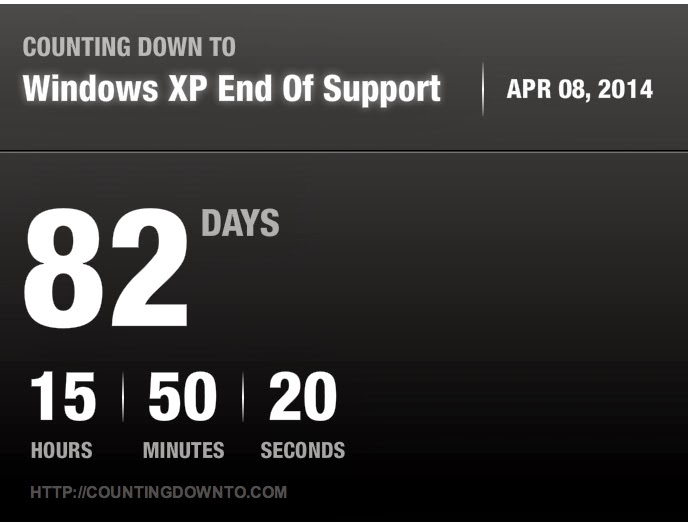
For the home user, there is a pretty simple solution. If you are still using a computer that is running Windows XP, then it is probably about time to get a new computer. XP was released to computer manufacturers on August 24, 2001. Microsoft continued supplying it to system builders through 2009. So chances are you own a computer that could be anywhere from 4-12 years old. So high time to upgrade wouldn't you say? Since I am the only IT guy in my family I get all the questions about why a computer is slow or why something isn't working. If the system is 5 yrs old or greater I will recommend they just get a new system. Certain things can probably be easily replaced but it will only be a matter of time before the next thing goes. Eventually the motherboard is next. Once that goes, you are pretty much getting a new system. So if you are a home user and still have XP, you may want to update your budget for a new computer in the coming months. While you are at it, you may also want to make sure you have been backing up your data and that it can easily be restored to a new system. Unfortunately transitioning off XP to Windows 8 will be a bit of a shock, but it can be done. I will cover that in another post soon.
For a business, it is a different story. Many larger enterprises have been working on transitioning off XP for the last couple years. At this time if you haven't been planning this transition, then you will need to consider some things when April hits. You will need to determine how many systems are still going to be living on your network at that time and the risks associated with that. No more security updates means that there is a very good possibility that we will see a huge increase in the number of 0-days released for XP and Office 2003. So if you still have a need for these products on your network, you may want to consider isolating them off from your critical systems. You will also need to make sure your security vendors will continue to support them until you can have them decommissioned. If you can't isolate the physical systems, consider migrating them to Virtual systems that run in a more isolated fashion. For example, if you have specific users such as Engineers who need legacy software support, consider getting them newer Windows 7/8 systems. Install a virtualization platform and do a physical-to-virtual migration (P2V) of that legacy XP system. Change the networking to NAT or Host Only, and test to ensure that their software still functions. Chances are that if you haven't moved off XP then you probably don't have some of the more advanced security infrastructure in place such as Network Access Control (NAC). A NAC system can assist in identifying and isolating unsupported systems. The cost to implement some of these more advanced security measures may easily far exceed that of migrating off Windows XP. So there is that to keep in mind. The longer a company waits to do this, the higher that cost will be.
This is not a new announcement, Microsoft has been trying to end support for XP over the last 5 years. It was the big enterprise customers that forced them to keep it alive. Their main reason was that much of their legacy software was not supported on Windows 7 and/or the cost to migrate was to high. As we like to say in consulting, "Pay me now or Pay more later." We make recommendations not to fill our pockets, but to ensure that your environment operates at an optimal level to support your business. If for some reason you did not take our advice at the time it was given, then there is a good chance you will need us to perform an emergency rush implementation of that earlier recommendation. The increase in cost comes usually with premium rates being used, increased shipping costs for rush hardware, as well as possible additional product support from the vendors.
So you have 82 days left to either finish your Windows 7/8 migrations and test all your software. Or use that time to try and isolate those systems until they can be replaced at a later date. Either way you have some work ahead of you so I suggest you get started.
UPDATE: On Wednesday (1/15/13) Microsoft announced they will extend support for their Anti-Virus products until July 2015. Now keep this in mind, that does not mean that XP is safe, this is will just plug just one hole in an already swiss cheesed dam. It is not a difficult thing to bypass anti-virus products on vulnerable systems. If you are not able to migrate off XP this year then you may want to consider a couple additional options such as implementing an Application Whitelist solution such as Bit9's Security Platform and/or deploying Microsoft's Enhanced Mitigation Experience Toolkit (EMET). Another revelation that was mentioned over the last couple days has been the fact that many ATMs are known to use Windows XP Embedded. Now the banking regulations require that these devices are not on the internet, but that doesn't make them automatically safe. There have been a number of stories where thieves were able to get physical access to the system in order to load malware or a secondary operating system via USB. Again this required physical access to the ATM. Other critical hardware that relies on XP Embedded include a number of medical devices and SCADA systems.
Wednesday, September 18, 2013
Hello little NAS why are you trying to talk to Russia?
In a recent post I talked about securing your home network, so of course I want to make sure I practice what I preach. My main server recently suffered some hardware failure, there was nothing critical on it so I am in no hurry to get it back up and running. I took the opportunity to find something more dedicated to run the file sharing on the network so I picked up a QNAP TS series device. I figured yeah, this should do what I need. Well I didn't realize that was able to replace most of the services that my bulky Dell server was hosting. After getting it up and running I found it to have a slew of useful services like VPN, media server (DLNA) services, and of course file storage/sharing. So I got the thing running, connected up the big USB HDD and restored all the shared paths and such. Eventually I got the VPN working and made sure managing it was only done through SSL.
So I had it going for a couple weeks without any issues, until the morning I decided to check out my network traffic. I saw some odd stuff in my firewall logs that didn't make sense, and they were coming from the QNAP system. It started because I saw a good deal of inbound UDP traffic being blocked. UDP is basically TCP's bastard cousin. It is not typical for legitimate internet services to use UDP. So I checked out some IP addresses and they were coming from the usual oversees locations. No big thing, most likely internet scanning on UDP to see if anyone's firewall will allow it through. So I continue through the log and notice outbound UDP traffic. I panic a little and then notice it is going out over 6881. Now my lovely firewall allows me to do an on-demand packet capture, which is handy as it sits between my LAN and Internet, so it can see everything. So I ran the capture and then filtered the results in Wireshark:
 Notice the many different non-US destinations? Yeah that didn't sit right with me. Did some digging as I have not memorized all my TCP/UDP port numbers and found that this is typical of BitTorrent listeners. I did some additional searching and found that the QNAP has a Download Manager service that comes turned on by default. This download manager runs like a Torrent listener so this is beacon traffic to the torrent network. I took a look at some of the packets and found it to be random garbage, nothing malicious. But still, that is traffic I don't want going out without my permission, least of all to overseas locations. I made some changes on the firewall that would automatically block traffic based on country of origin and found a nifty forum post about disabling the feature and hardening the device further.


***UPDATE***
So quick update on the network security... as I sit here waiting for my plane to Louisville for DerbyCon 2013, I decided to test my VPN to the home office. It wouldn't connect, so through other magical means I remoted in a different way to check the systems. Firewall check! It was passing traffic nicely. So logged into the QNAP where the service is hosted and immediately saw the warning indicator for unauthorized network attempting to connect on my VPN port. Nifty, that made fixing the issue pretty easy. Made the necessary changes and all is working now. So if you lock your QNAP down and use the VPN service, you may need to open some ranges or just not use the block networks piece. The VPN is only temporary until I can bring up a new full time server.
So I had it going for a couple weeks without any issues, until the morning I decided to check out my network traffic. I saw some odd stuff in my firewall logs that didn't make sense, and they were coming from the QNAP system. It started because I saw a good deal of inbound UDP traffic being blocked. UDP is basically TCP's bastard cousin. It is not typical for legitimate internet services to use UDP. So I checked out some IP addresses and they were coming from the usual oversees locations. No big thing, most likely internet scanning on UDP to see if anyone's firewall will allow it through. So I continue through the log and notice outbound UDP traffic. I panic a little and then notice it is going out over 6881. Now my lovely firewall allows me to do an on-demand packet capture, which is handy as it sits between my LAN and Internet, so it can see everything. So I ran the capture and then filtered the results in Wireshark:

- Disable Download Station - unless you can find a good use for it. This can be done from "My Apps." Just slide the bar to the left.

- Now we need some clean-up. We will need to make sure only authorized networks can access the QNAP. Go to the Security Settings in the QNAP control panel.


- In the Security Settings, you will want to select "Allow connections from the list only." Then add the internal IP address/ranges you wish to allow to access the device. This is handy if you happen to have a guest wireless network that may touch your main network. Again who would have that, it is just silly. Refer to the image below, IP addresses are obfuscated, but those would change based on the network anyway. I did have to add my VPN IP Pool in as it is different from the internal LAN.
So that is it, piece of cake! Once you make the changes it will restart the network services, so you may lose access to the shares for a minute or 2. After I made those changes the traffic pretty much stopped. I am still getting a bunch of inbound UDP getting blocked but that should decline as well. Anyway hope this is helpful to some folks. The device is pretty useful but again, don't always trust the default settings or apps. Take the time to understand what you plugged into your network! Any questions feel free to leave a comment below!
***UPDATE***
So quick update on the network security... as I sit here waiting for my plane to Louisville for DerbyCon 2013, I decided to test my VPN to the home office. It wouldn't connect, so through other magical means I remoted in a different way to check the systems. Firewall check! It was passing traffic nicely. So logged into the QNAP where the service is hosted and immediately saw the warning indicator for unauthorized network attempting to connect on my VPN port. Nifty, that made fixing the issue pretty easy. Made the necessary changes and all is working now. So if you lock your QNAP down and use the VPN service, you may need to open some ranges or just not use the block networks piece. The VPN is only temporary until I can bring up a new full time server.
Sunday, September 15, 2013
Securing Your Home Network
Every now and again I try to take some time out of my weekend mornings to take a look at my network traffic. I should certainly do it more often or enable some form of weekly report to be sent to me, maybe that will be a winter project this year. In any event, with all the new tech we add to our home networks every year, it makes more sense to know just what exactly is going on in the network. Big enterprises have numerous tools (not so much personnel) to monitor both outbound/inbound traffic, unfortunately the typical home user does not. In fact many believe that if they slap in their Linksys/Netgear home router, they are good to go and everything will behave. But with stories such as the "hacked" baby monitor in Texas, we know this is not true. Just some corrections to that story, it wasn't an actual baby monitor, you know the two way radio sort of monitors. It was a Foscam IP Video Camera, most likely of the wireless sort. It sounded like the father took the appropriate steps in configuring it, but again, just doing what the manual tells you to, does not make it securely configured.
But I digress, the point of today's post is to help educate my not so tech savvy readers and make them aware that many of these consumer brand companies really don't put too much effort in securing their product. They have some basics covered like changing the default password or enabling secure wireless, but something such as allowing access to the device over the internet, well that opens a door and invites trouble into your network. Researchers and the bad guys are constantly scanning the internet for open ports to determine services that might be running on those ports. You have your typical ones such as web based TCP 80 (http) and 443 (https), as well as email (SMTP/TCP25), FTP (TCP21), and SSH/SFTP (TCP22). There are also standard services running on non standard ports; for example, http running TCP 8080. This is typically done to either obscure a web server from the untrained script kiddie or run more than one web server from a single host. In my case it would be to get web traffic through my cable companies routing rules, as residential internet typically filters popular traffic such as SMTP and HTTP on standard ports. We can go into details another time on that. With tools such as Shodan (See previous post) being used much more frequently and internet scanning software becoming more efficient (Check out the post from Robert Graham), it is getting much easier to find out what is running on people's networks.
So what does all this mean? Well as consumers we need to start getting smart about what we are connecting to our home networks. In the past the average home probably had 1-2 computers and possibly both wired and wireless networking. Now a majority of homes have any number of smart phones, tablets, game consoles, laptops, and (maybe) a desktop all connected up. They may also include network printers, Smart TVs, Smart Blu-ray players, and other media devices such as Apple TV or Roku. All of these are now nodes on your home network and they all require internet access to function.
Now of course we have all created a network diagram that we keep handy for reference... right?? Anyone? Anyone besides the crickets? OK I'm joking, only folks like myself who do this for a living will probably go the extra length and document the home network. At least I can rest easy knowing that if I am ever hit by a truck, my wife will know what device to unplug to reset the cable modem. I only partially joke about this, but it is not a bad idea to know what is connected to your home network, just draw it out on paper or make a simple list. You don't need to make high end enterprise architecture diagrams, I mean that would be silly! The first part to securing something is knowing what it consists of. You know how many doors and windows you have in your home right? Well think of your network in a similar way. The less devices you expose to the internet, the better. Exposed meaning you allow inbound access to them. If you absolutely must have access to something while you are away from your home, then look into setting up a VPN. It is not all that hard and there are a number of both hosted and local solutions out there. I will be doing a write up on one such device coming up. The VPN allows you to make a secure connection to your home network from outside. The tunnel is encrypted so it is difficult to play a man-in-the-middle on. Is it full proof? absolutely not, but it is another layer to make it so the novice cannot get in. In security we like to say, if someone wants something bad enough, they will get it, it is just a matter of time. You best defense is to make it as hard as possible for them to do it. Think about it this way, putting frosted glass on windows, using thick curtains, and even placing warning signs on your property for dogs or an alarm system. Granted these may throw up flags that you have valuable stuff, but it will keep the curious passer-bys from snooping around. A determined criminal may risk it and smash in a window still but he may not be willing to tangle with a big dog.
So this one went on log enough, I will end with this... don't assume the product manufacturers have your back, they want to make money and adding extra steps to secure something may take from their bottom line. So go out and do some research on that next new gadget you want to add. Know that you may need to do some extra work to harden it! If you ever want more education on the matter, swing by your local Hackerspace, there are always folks willing to educate people on these sorts of things. If you are local to CT, you can come by nesit.org. We are usually around in the evenings during the week and random times on the weekends. The weekly schedule is posted on Sundays.
Tuesday, September 3, 2013
Edumacation and Training: Who's responsible? You or your employer?
If you consciously decide to take a career in information technology, then you should have realized that school and training doesn't stop after you receive your degree. The same goes for you if you decide to move into an information security position. This realm is constantly evolving and you need to be willing to evolve with it, or find a new career.
Your goals may not align with your employer's...
If you are lucky enough to land a job with a company that will pay for training, then take advantage of it. Just be ready to accept that what they are willing to train you on may not be in line with your personal career goals. For example, if you work for a consulting company, they may want you certified with their primary vendors' products. If it is a Microsoft Gold partner shop, then they need to maintain a certain number of MCSE/MCSA certified individuals to keep that partnership. If you sell Cisco or Juniper products, the company may need those certificates as well. They may not want to send you to SANS or Blackhat for training on the latest security topics. Unless, of course, they are a security consulting company and they would rather your pen testing skills be honed. If you are in a large enterprise, the training may be more open, as long as it fits in with your development plan, then it can be justified. In any event take whatever training you can get, it will never be wasted and you might learn something interesting.
It may not be in the budget....
Be ready to hear that if you want an employer to pick up the bill for a conference. Although it may benefit them that you receive some cutting edge knowledge, they may prefer you attend online webinars or local events, rather than sending you to San Francisco for RSA or Vegas for DEFCON and Blackhat. If that is the case, don't be afraid to spend some of your own cash and use your personal time to hit up some of the smaller cons like DerbyCon (Louisville), ShmooCon (Washington D.C.), Thotcon (Chicago), and of course any of the many Security BSides events happening all over the world. Most of these are pretty affordable, and all you need to do is come up with the means to get there. If you can't afford a room, there is usually someone willing to split one.
Don't pass up excellent networking opportunities...
Back to the topic of the conferences, not only do you get exposed to some excellent talks, but these are also great opportunities to meet some interesting people. Again, your goals may not align with your company's, but that doesn't mean you should ignore them. Invest in yourself a little and get out to these cons. Who knows, you might have a conversation with someone who may want you to come out the next year and speak at the con. If it is a vendor, they may even pay for it. Also, when at the conference, don't worry about getting to every talk on the schedule. Take the time to participate in the "HallwayCon", grab coffee with some attendees, and don't be afraid to join a public dinner invite. You never know who you will meet out there, they could lead you to the next stage of your career.
"I'm going as long as work approves..."
So something along those lines was said to me when talking about a BSides event that was in the next state. They person was hoping work would pay for the single night at the hotel. Since BSides are relatively cheap, and usually in driving distance, I will cough up the 100-200 bucks for a single night at the hotel. Again, back to the networking opportunities and the education factor of these events, it is worth spending some of your own cash for it. In some cases, you can claim these trips as a business expense, but check with your tax guy first.
Anyhoo....
Ultimately you are responsible for your own training and education. If you want to succeed in your career, you will make it happen. Whether you get work to pay for it, or not, you should still do it. If work wants to get you trained on something not necessarily related to your goals, take it! It is knowledge you did not have before. So good luck out there and keep up the learning! Maybe we will bump into each other at the next HallwayCon. Otherwise see you at DerbyCon 2013 in Louisville this year!
Your goals may not align with your employer's...
If you are lucky enough to land a job with a company that will pay for training, then take advantage of it. Just be ready to accept that what they are willing to train you on may not be in line with your personal career goals. For example, if you work for a consulting company, they may want you certified with their primary vendors' products. If it is a Microsoft Gold partner shop, then they need to maintain a certain number of MCSE/MCSA certified individuals to keep that partnership. If you sell Cisco or Juniper products, the company may need those certificates as well. They may not want to send you to SANS or Blackhat for training on the latest security topics. Unless, of course, they are a security consulting company and they would rather your pen testing skills be honed. If you are in a large enterprise, the training may be more open, as long as it fits in with your development plan, then it can be justified. In any event take whatever training you can get, it will never be wasted and you might learn something interesting.
It may not be in the budget....
Be ready to hear that if you want an employer to pick up the bill for a conference. Although it may benefit them that you receive some cutting edge knowledge, they may prefer you attend online webinars or local events, rather than sending you to San Francisco for RSA or Vegas for DEFCON and Blackhat. If that is the case, don't be afraid to spend some of your own cash and use your personal time to hit up some of the smaller cons like DerbyCon (Louisville), ShmooCon (Washington D.C.), Thotcon (Chicago), and of course any of the many Security BSides events happening all over the world. Most of these are pretty affordable, and all you need to do is come up with the means to get there. If you can't afford a room, there is usually someone willing to split one.
Don't pass up excellent networking opportunities...
Back to the topic of the conferences, not only do you get exposed to some excellent talks, but these are also great opportunities to meet some interesting people. Again, your goals may not align with your company's, but that doesn't mean you should ignore them. Invest in yourself a little and get out to these cons. Who knows, you might have a conversation with someone who may want you to come out the next year and speak at the con. If it is a vendor, they may even pay for it. Also, when at the conference, don't worry about getting to every talk on the schedule. Take the time to participate in the "HallwayCon", grab coffee with some attendees, and don't be afraid to join a public dinner invite. You never know who you will meet out there, they could lead you to the next stage of your career.
"I'm going as long as work approves..."
So something along those lines was said to me when talking about a BSides event that was in the next state. They person was hoping work would pay for the single night at the hotel. Since BSides are relatively cheap, and usually in driving distance, I will cough up the 100-200 bucks for a single night at the hotel. Again, back to the networking opportunities and the education factor of these events, it is worth spending some of your own cash for it. In some cases, you can claim these trips as a business expense, but check with your tax guy first.
Anyhoo....
Ultimately you are responsible for your own training and education. If you want to succeed in your career, you will make it happen. Whether you get work to pay for it, or not, you should still do it. If work wants to get you trained on something not necessarily related to your goals, take it! It is knowledge you did not have before. So good luck out there and keep up the learning! Maybe we will bump into each other at the next HallwayCon. Otherwise see you at DerbyCon 2013 in Louisville this year!
Saturday, May 25, 2013
Communicating with Execs on InfoSec
As I sit here, drink my coffee, and worry about the troubles of the world, I came across this DarkReading post on Security Pros failing in Business Lingo. It is an interesting read but nothing ground breaking. The argument has been around for a while now that much of senior management rarely has any idea of what we are talking about. We are finally seeing more of us making their way to that table. Those that do are usually well versed in the business speak. I would agree that all Security pros should be familiar with out to explain why technical vulnerabilities affect business. In smaller shops you may not have that C-level representation so you would need to double has the highly skilled security engineer and the CISO/CSO. But in the larger environments, there really needs to be some tiers in place. Your skilled staff should worry about the job/mission while their management can translate their activities/needs to the execs.
An engineer is an engineer regardless if they are building a new jet propulsion system or developing a new architecture to store that system's critical data. People like your incident responders, security architects, penetration testers and such are (hopefully) highly skilled individuals who know their craft inside and out. They spend their days learning about the newest attack methods and how to detect/defend against them. They are engineers and scientists of the IT world. They are not that different from your network/systems engineers who build the infrastructure. I'm not saying they can't be bothered with talking to execs, but they really shouldn't be focusing on that. They should be able to provide data to their management so they can communicate it up the chain. Let them do what they are good at and everyone will be happy. At times though, the engineers may need to step up and speak directly to management. At that point, the security execs/managers should be supportive and help get the right "Lingo" into that presentation.
As a consultant, it is a different story. You need to be able to play both sides as you are typically selling your service to non-technical people. You need to understand what keeps them up at night and address that. If you cater to SMBs, you will most likely be talking to the President/CEO of the company. They will most likely not know about things like "Firewalls" or "SQL Injection" and what types of risk they pose to their company. So things like "getting shell on your webserver" will need to be explained in different terms; for example, "Your web server that hosts <insert app name here> is vulnerable to a number of attacks that will lead to a compromise of your customers data. This data can then be downloaded and used to carry out a number of computer fraud crimes. Since this data contains SSNs and other Personally Identifiable Information, you can be held accountable and possibly fined a significant amount by the federal government." Make sure you include numbers on the possible fines because in some cases, if the business is small enough, that one fine can end them. I would site similar numbers if I found a prospect that was out of compliance with Microsoft licenses. That was something like $100K per incident. Tell that to a company who doesn't want to "waste" money on a $1500 license pack and they change their tune.
So I guess to wrap this up... This is going to be ever-present as you will always need highly skilled individuals who know how to figure out the problems and fix them. The types that you throw a rubik's cube in front of and they will relentlessly work it until they achieve their goal. You will have the researchers who continually take a part hardware/software to see how it ticks. These guys are the scientists of technology and they need to spend their days doing this type of work. Eventually one will rise out of the lab, that person will realize they are better fit to help the cause from a managerial post. They will work to attain the skills to better work with the executives, but will retain the knowledge to continue communicating with the engineers and architects.
As always feel free to leave your comments, do you agree or disagree?
An engineer is an engineer regardless if they are building a new jet propulsion system or developing a new architecture to store that system's critical data. People like your incident responders, security architects, penetration testers and such are (hopefully) highly skilled individuals who know their craft inside and out. They spend their days learning about the newest attack methods and how to detect/defend against them. They are engineers and scientists of the IT world. They are not that different from your network/systems engineers who build the infrastructure. I'm not saying they can't be bothered with talking to execs, but they really shouldn't be focusing on that. They should be able to provide data to their management so they can communicate it up the chain. Let them do what they are good at and everyone will be happy. At times though, the engineers may need to step up and speak directly to management. At that point, the security execs/managers should be supportive and help get the right "Lingo" into that presentation.
As a consultant, it is a different story. You need to be able to play both sides as you are typically selling your service to non-technical people. You need to understand what keeps them up at night and address that. If you cater to SMBs, you will most likely be talking to the President/CEO of the company. They will most likely not know about things like "Firewalls" or "SQL Injection" and what types of risk they pose to their company. So things like "getting shell on your webserver" will need to be explained in different terms; for example, "Your web server that hosts <insert app name here> is vulnerable to a number of attacks that will lead to a compromise of your customers data. This data can then be downloaded and used to carry out a number of computer fraud crimes. Since this data contains SSNs and other Personally Identifiable Information, you can be held accountable and possibly fined a significant amount by the federal government." Make sure you include numbers on the possible fines because in some cases, if the business is small enough, that one fine can end them. I would site similar numbers if I found a prospect that was out of compliance with Microsoft licenses. That was something like $100K per incident. Tell that to a company who doesn't want to "waste" money on a $1500 license pack and they change their tune.
So I guess to wrap this up... This is going to be ever-present as you will always need highly skilled individuals who know how to figure out the problems and fix them. The types that you throw a rubik's cube in front of and they will relentlessly work it until they achieve their goal. You will have the researchers who continually take a part hardware/software to see how it ticks. These guys are the scientists of technology and they need to spend their days doing this type of work. Eventually one will rise out of the lab, that person will realize they are better fit to help the cause from a managerial post. They will work to attain the skills to better work with the executives, but will retain the knowledge to continue communicating with the engineers and architects.
As always feel free to leave your comments, do you agree or disagree?
Monday, April 22, 2013
Quick fun code with Powershell
So one of my areas of improvement this year is in my coding ability. Just finished the Python course from Codecademy.com (I highly recommend checking them out), but I also enjoy Powershell, as I primarily work on Microsoft systems. I follow the MS Scripting Guy's blog - http://blogs.technet.com/b/heyscriptingguy, he always has some great material to check out and try. Right now is the start of the 2013 Scripting Games so to honor it, he posted a great tip for pulling down the latest blog posts for the games. You can check out the code here: Use PowerShell to Keep Up-to-Date with the 2013 Scripting Games.
So the initial code is pretty simple. When you run the script it will dump to your Powershell console. But what if I don't want to review it just yet and save it for later? I could dump the results to a file with a number of methods, but I really want to make sure I check it out. So why not generate a web page with the results? That would be perfect!! Powershell has a number of ConverTo-X commands, they happen to have one for ConvertTo-HTML. Here is the modified code:
Invoke-RestMethod -Uri $sg2013 | select title, pubdate, link |
ConvertTo-Html | Out-File E:\Code\Powershell\rss_reader.html
Notice I also added the link to the select statement. The last half of the code sends the information to the designated out-file. But I am not fond of the results.
 See? Very boring. Believe it or not, there is quite a bit of code present in the page. Since the Conversion occurs with the original output in a table format, it actually created it as such in the html. Unfortunately no color. Lets see if we can spruce things up a bit. With a bit more research into ConvertTo-Html, I found that it has options for the various sections of an HTML file: HEAD, BODY, and TITLE. For this example we will stick with working in the HEAD section. In the HEAD section we could call various STYLE configurations that will apply to the whole page. A new variable will need to be created that will contain the content for the HEAD section:
$style = "<style>BODY{background-color:black;}</style>"
Invoke-RestMethod -Uri $sg2013 | select title, pubdate, link |
ConvertTo-Html -head $style | Out-File E:\Code\Powershell\rss_reader.html
We are almost there, unfortunately this creates a page with a black background, not good since the font color is also black. The style variable can be further declared using a series of "$style = $style + ..." calls.
This essentially builds out the style tag for the page. You can add additional code to format the table colors as well. But lets keep it simple, here is how the new page looks:
 That is much better, you can experiment with the colors if black and lime green are not your thing. We will add one more option to the ConvertTo-Html function using the -body option:
Invoke-RestMethod -Uri $sg2013 | select title, pubdate, link |
ConvertTo-Html -head $style -body "<H2>2013 Scripting Games Feed</H2>" | Out-File E:\DMZ\Code\Powershell\rss_reader.html
This adds a nice heading to the page. So this is great, I have a nicely formatted list of items from the Scripting Guy's blog, but how do I remember to go back and check??? Well you can call the following command in the script to open the file in a browser:
Invoke-Expression E:\Code\Powershell\rss_reader.html
This will open the HTML file up in your default browser. So if you want to get really crazy, add this as a scheduled task to run every couple hours/days/weeks etc. A couple things I will be trying to add are some conditions so that I don't just keep getting a full list of items. I may only want to view the latest posts and I may want the list to convert the links to hyper-links. Well I hope you enjoyed, now go out and code!
So the initial code is pretty simple. When you run the script it will dump to your Powershell console. But what if I don't want to review it just yet and save it for later? I could dump the results to a file with a number of methods, but I really want to make sure I check it out. So why not generate a web page with the results? That would be perfect!! Powershell has a number of ConverTo-X commands, they happen to have one for ConvertTo-HTML. Here is the modified code:
Invoke-RestMethod -Uri $sg2013 | select title, pubdate, link |
ConvertTo-Html | Out-File E:\Code\Powershell\rss_reader.html
Notice I also added the link to the select statement. The last half of the code sends the information to the designated out-file. But I am not fond of the results.
$style = "<style>BODY{background-color:black;}</style>"
Invoke-RestMethod -Uri $sg2013 | select title, pubdate, link |
ConvertTo-Html -head $style | Out-File E:\Code\Powershell\rss_reader.html
We are almost there, unfortunately this creates a page with a black background, not good since the font color is also black. The style variable can be further declared using a series of "$style = $style + ..." calls.
$style = "<style>"
$style = $style + "BODY{background-color:black;}"
$style = $style + "BODY{color:lime;}"
$style = $style + "</style>"
Invoke-RestMethod -Uri $sg2013 | select title, pubdate, link |
ConvertTo-Html -head $style -body "<H2>2013 Scripting Games Feed</H2>" | Out-File E:\DMZ\Code\Powershell\rss_reader.html
This adds a nice heading to the page. So this is great, I have a nicely formatted list of items from the Scripting Guy's blog, but how do I remember to go back and check??? Well you can call the following command in the script to open the file in a browser:
Invoke-Expression E:\Code\Powershell\rss_reader.html
This will open the HTML file up in your default browser. So if you want to get really crazy, add this as a scheduled task to run every couple hours/days/weeks etc. A couple things I will be trying to add are some conditions so that I don't just keep getting a full list of items. I may only want to view the latest posts and I may want the list to convert the links to hyper-links. Well I hope you enjoyed, now go out and code!
Friday, March 22, 2013
You Just Won A MEGA DISCOUNT!!!! (no you didn't)
You are an infosec geek when you receive a call that you know is a scam but you pick it up anyway to hear the recording. You then do some internet recon on the domain they tell you to go to and find that it was registered very recently. Next you pull up your sandbox system, load up BurpSuite and proceed to visit the very obvious phishing site to see what happens.
 |
| Fake AT&T Phishing Site |
So random pre-recorded call from a bogus 800 number.
"You just won the AT&T Mega Discount for $555 dollars off your next AT&T bill. You just need to visit att555.com to claim your discount."
So you go to this site and say "Hey this looks legit, all the logos are there and such. Let me just log in and get my reward!"
 |
| Real AT&T Account Site |
With BurpSuite running in intercept mode, you can watch the activity as you throw in the fake information in the site. It took whatever I submitted with no validation (another sign it is a bogus site). When I hit "log in", a ton of stuff happens in the background. It sends the data you entered to an web address in Germany:
hxxp:[85.25.17.164]kingpin/deduct2.php.
This happens in clear text as well, with no SSL anywhere to be seen. This is just one more thing to add to the list of suspicious activity. If they phisher was more creative, they would have at least used a bogus SSL Cert to add more realism to the ruse.So moral of the story, think before you click! Be aware of your surroundings. If something is too good to be true... it probably is.
Subscribe to:
Posts (Atom)